Link2Gain
Redesigning an AI PR platform around the difference between publishing for one brand and for several clients.
One brand, or several clients
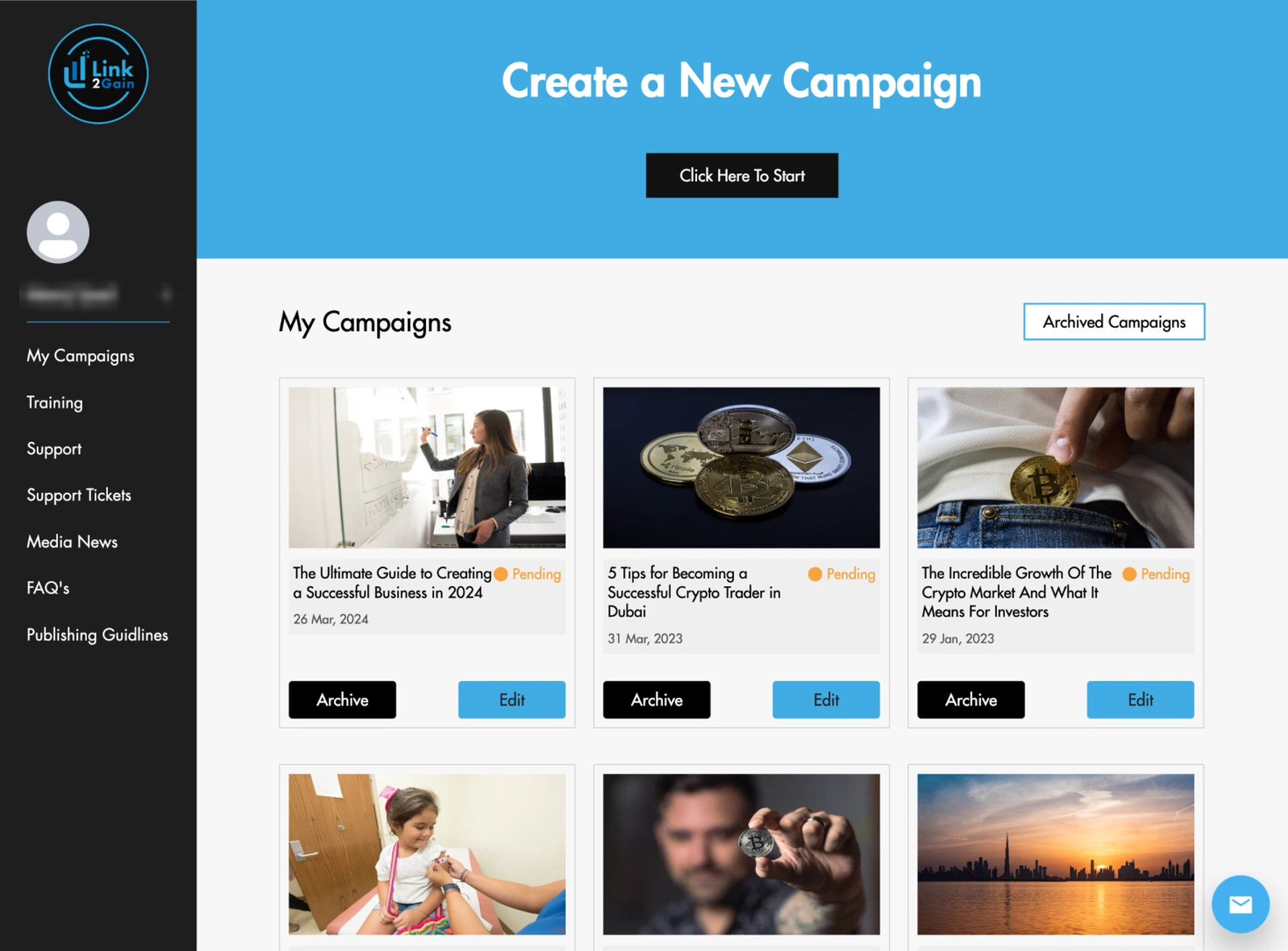
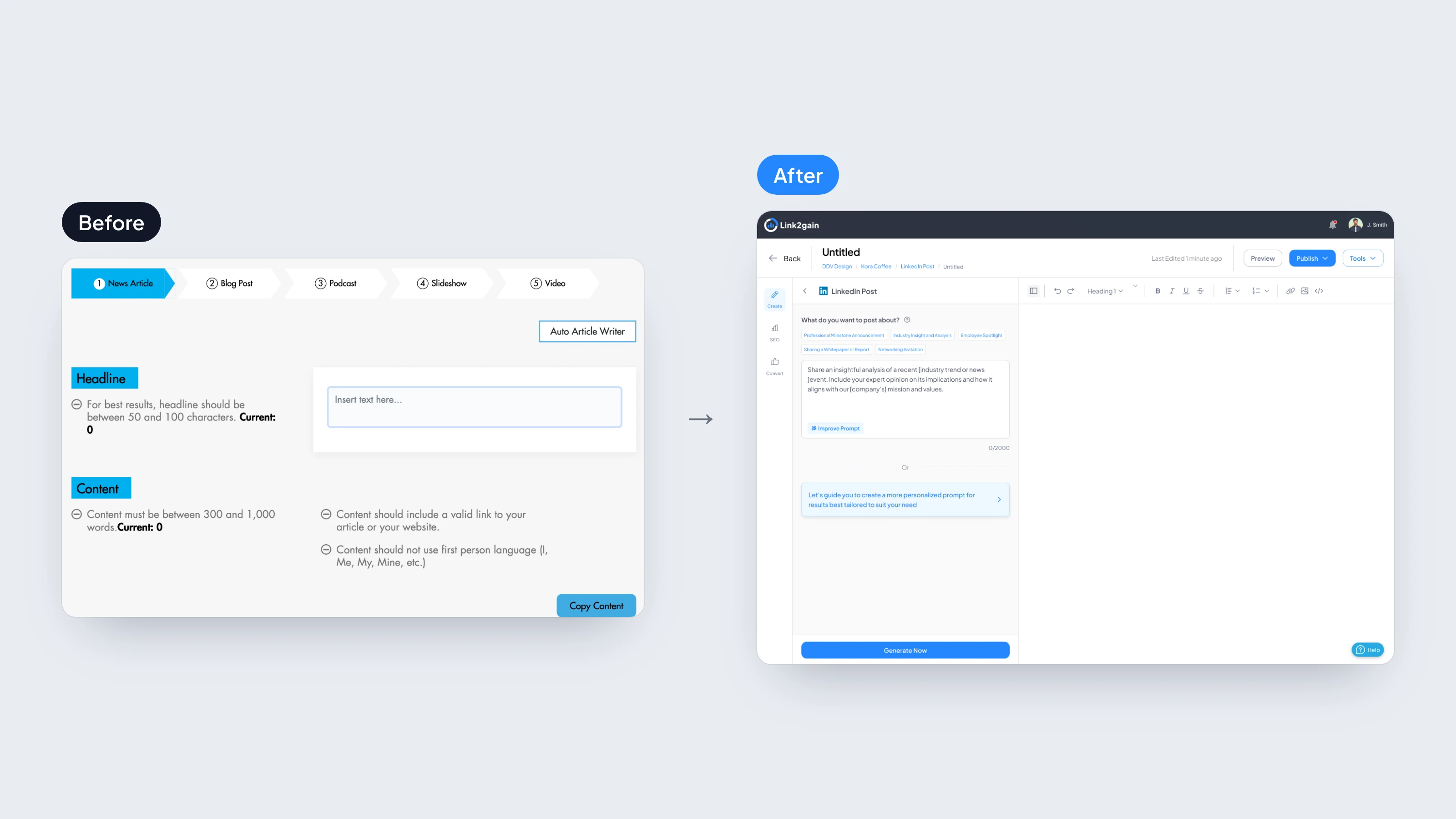
Link2Gain is an AI PR platform. Some people use it to publish for their own business; agencies use it to publish for several clients at once. The old product already had the features: AI writing, campaigns, scheduling and distribution to news sites. But it was built for one person publishing for one brand, and an agency had no proper way to keep each client’s work apart.
Over eight weeks I redesigned it to work for both, one flow at a time. The product manager reviewed each flow against the product requirements, then we presented it to the client together on a weekly call, and I moved to the next flow once they gave the go-ahead.
What the research changed
I started with an audit of the old product. It pointed to clearer navigation, an analytics dashboard, templates and real help with writing. Then I looked at five competitors. All of them compete on how many news sites they reach; none of them make the writing easier. So Link2Gain would compete on the writing, not the reach.
I also wrote five user scenarios. Four were businesses publishing for themselves. One was a PR consultant handling several clients. Hers was the hardest case, so I designed around it. One user story put it plainly: “As a freelancer, I want to toggle between different company profiles I manage without logging out.”
Clients first
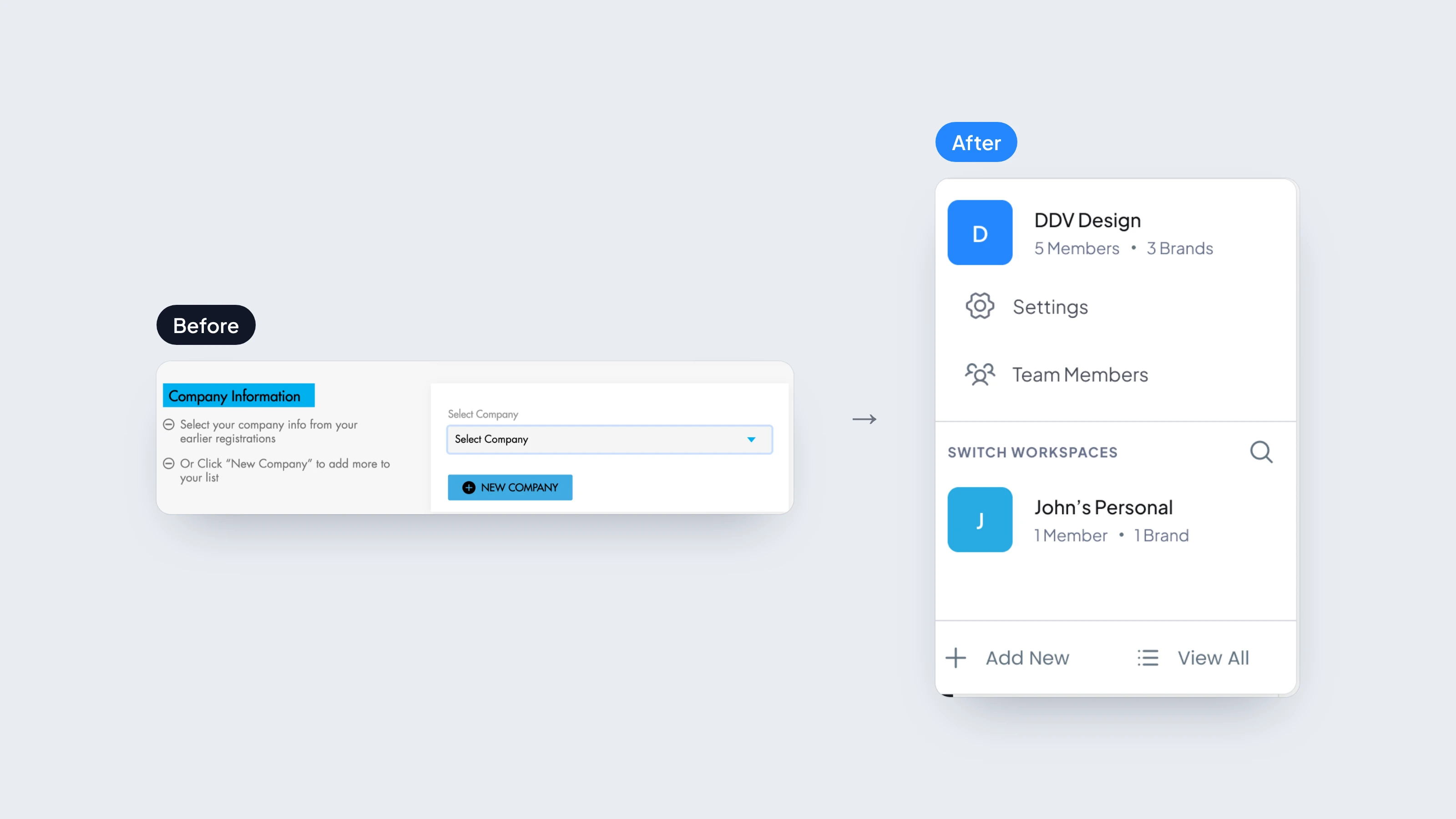
In the old product, the client was a dropdown at the bottom of each article form. In the redesign, you choose the client first, and their brand, files and campaigns sit inside it. Switching takes one click. Each brand stores its logo, colours, tone of voice and channels, and the editor uses them, so content comes out in the client’s voice.
The cost is that someone publishing for one business now meets workspaces and brands too. So sign-up asks who you are first, and “Just me” sets up a single workspace they barely notice.
Designing past the old menu
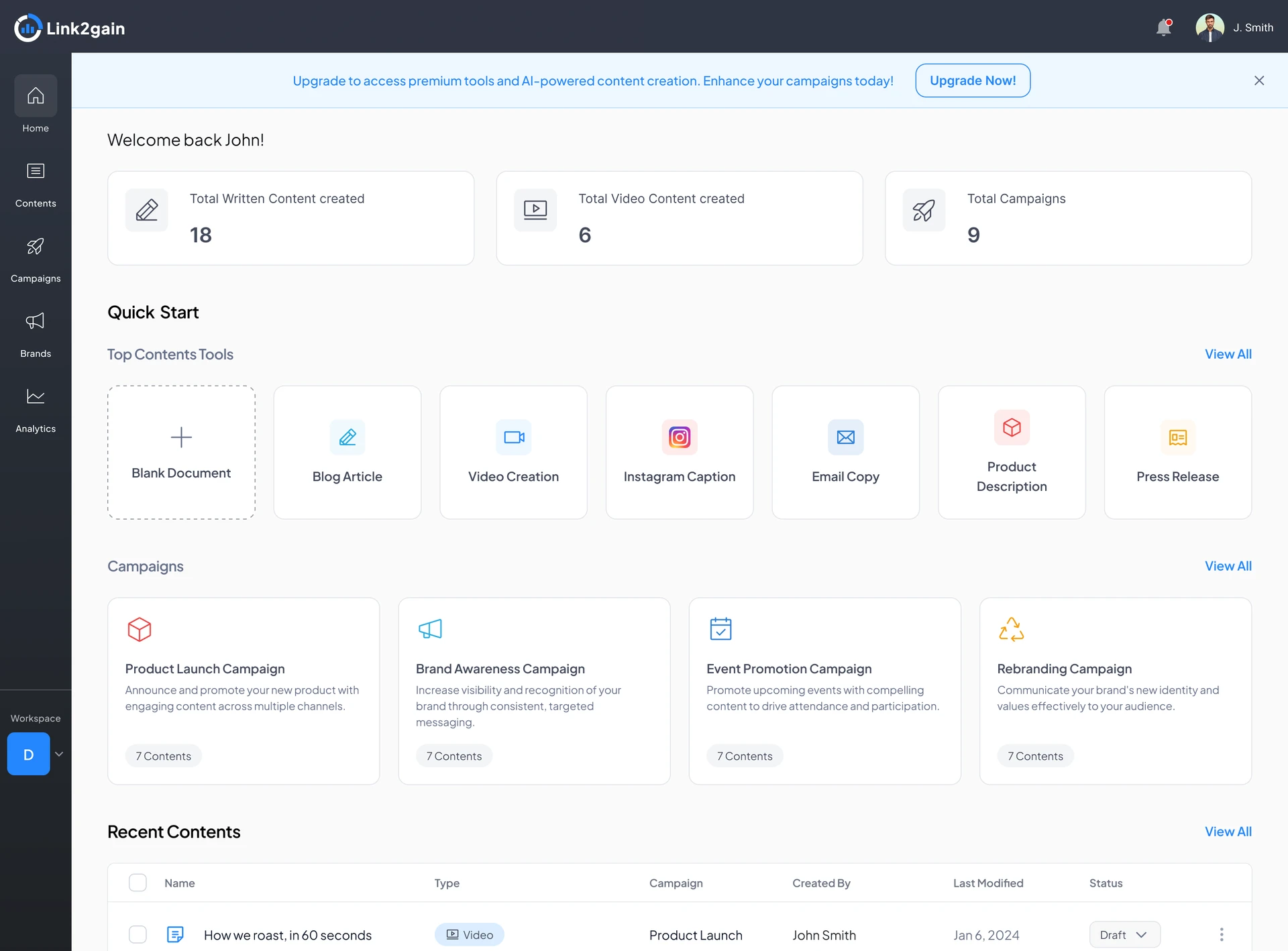
The old menu scattered writing across five rewriting tools and put a checkout before your own work. My first restructure fixed that: one route to create, no checkout, and 40 steps down to 26. But it still assumed one person publishing for one brand, and every piece of writing still started as a campaign.
The final structure follows the whole job: what you write (Contents), how you group it (Campaigns), who it’s for (Brands and Workspace) and how it performed (Analytics). A single post no longer needs a campaign, and a consultant can keep each client apart.
The cost is a bigger map. It holds clients, brands and reports the first restructure never had, so it isn’t shorter. The first restructure was only shorter because it served the user the old product was already built for.
AI that shows its working
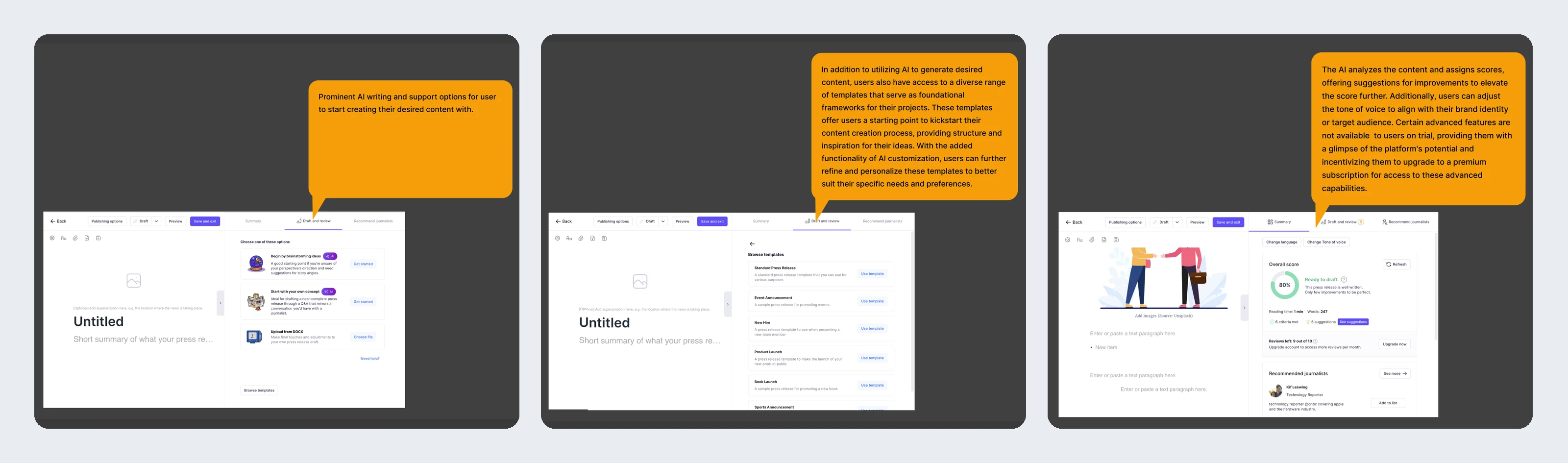
Writers get two ways to start: a ready-made prompt with the gaps shown in brackets, or their own brief with separate controls for tone, keywords, audience and length. An outline comes before the draft, so the structure can be reworked first, and the SEO score can be fixed in one click. PR tools showed me where to compete; content tools such as Jasper and Writesonic showed me how the writing should work.
The cost is two paths to design and keep in step, and a few more choices before the first draft than one button. I kept both because a consultant switching between clients needs speed, and a brief needs control.
Consistency through one brand
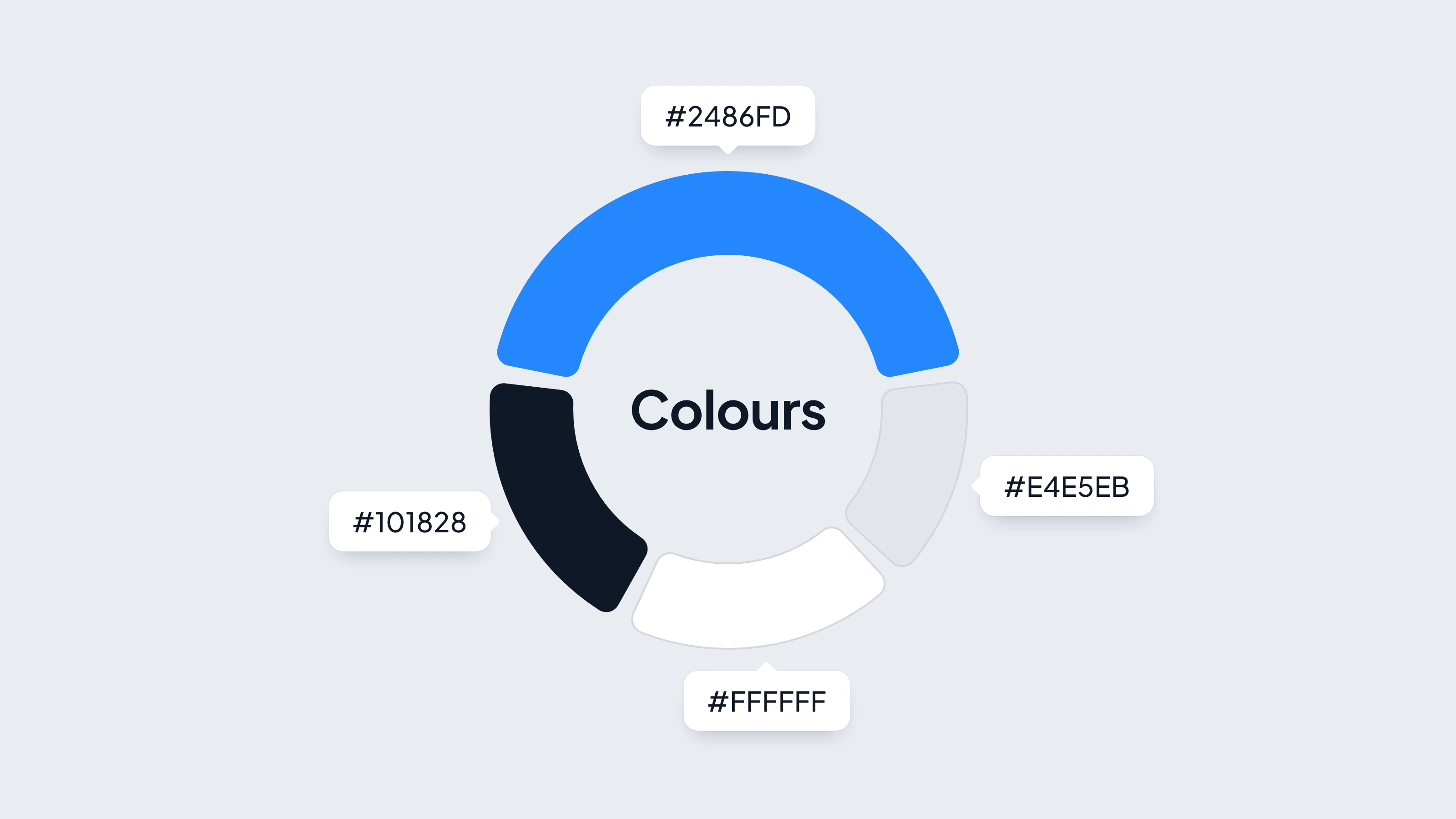
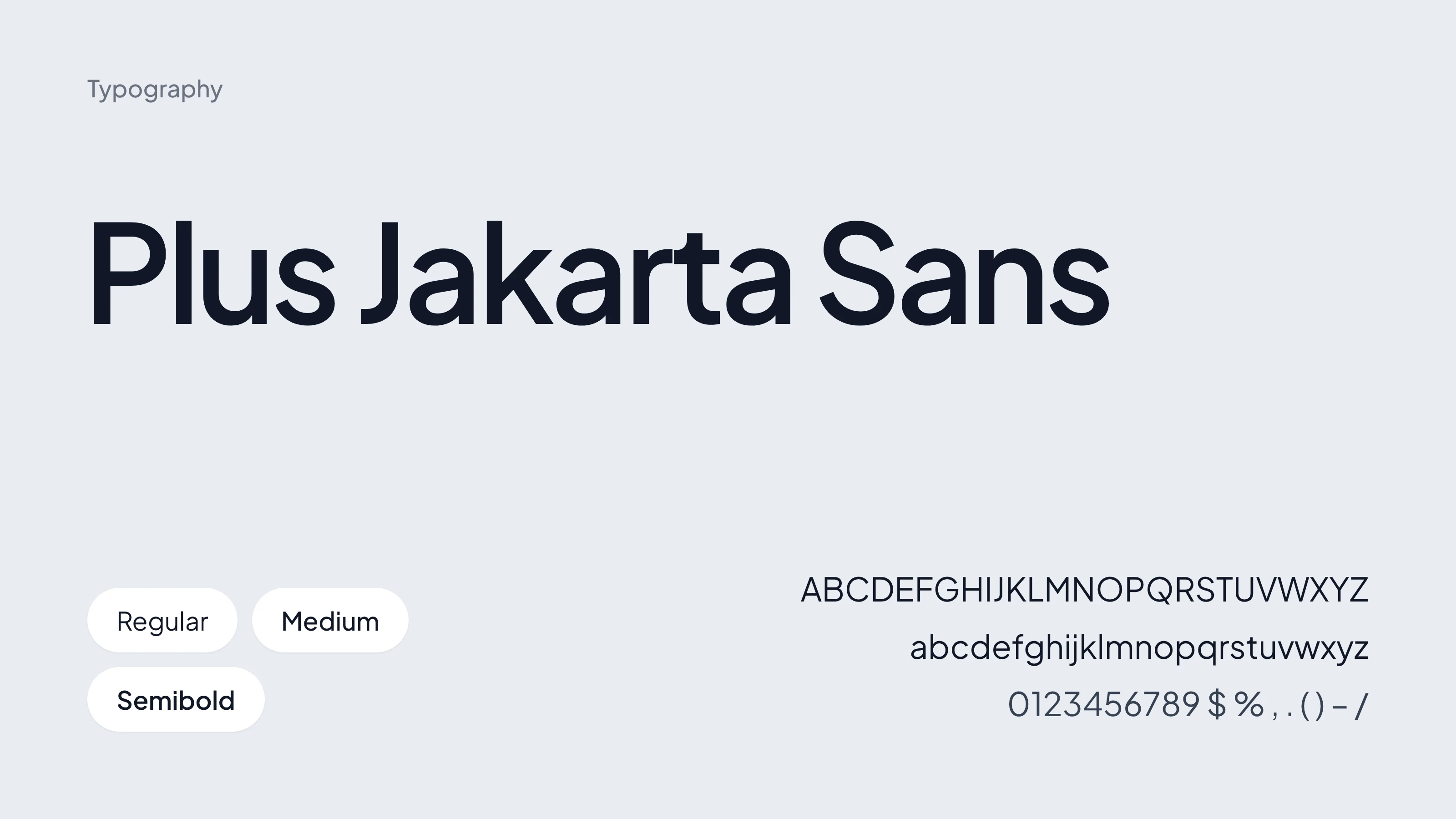
The interface keeps to one blue for actions and selected states, and one typeface, Plus Jakarta Sans, so the client’s own branding is what stands out in their content.
Where it landed
The same thinking carried through the rest of the product. Campaigns start from a template you can edit before writing, and analytics leads from the whole campaign to a single piece and a report for the client. I also designed the parts that usually get skipped: settings, security, billing and a media library for each brand.
The client approved the full set of screens for the web app, then asked me to design the marketing website.
What I’d do differently
I designed around the PR consultant from written scenarios, not conversations. It was the right case to design for, but I took that on trust. Next time I’d speak to two or three consultants before committing, even briefly, to check how they really switch between clients and where the old product slowed them down. It would have given the structure a firmer footing and the client a stronger reason to back it.